
Send a postcard in just a few clicks, straight from our site. The twist? Your video plays on the printed card like a Harry Potter moving picture, using augmented reality in the phone browser, no app required.
Create a postcard
Swiss address field: letters and postcards done right
If you are looking up the Swiss address field, how to write a Switzerland address, postcard layout, or mail to Switzerland, this guide covers the usual rules. Once addressing is clear, you can send a normal postcard or a video postcard: the printed address zone stays the same, and the front can carry your photo, design, or AR trigger.
Quick answer
On a Swiss postcard, put the recipient address in the lower right of the address side, your message on the left, and the stamp in the top right. On an envelope, the recipient goes lower right and your return address small in the top left. From abroad, add SWITZERLAND as the last line.
At a glance
Envelope (front)
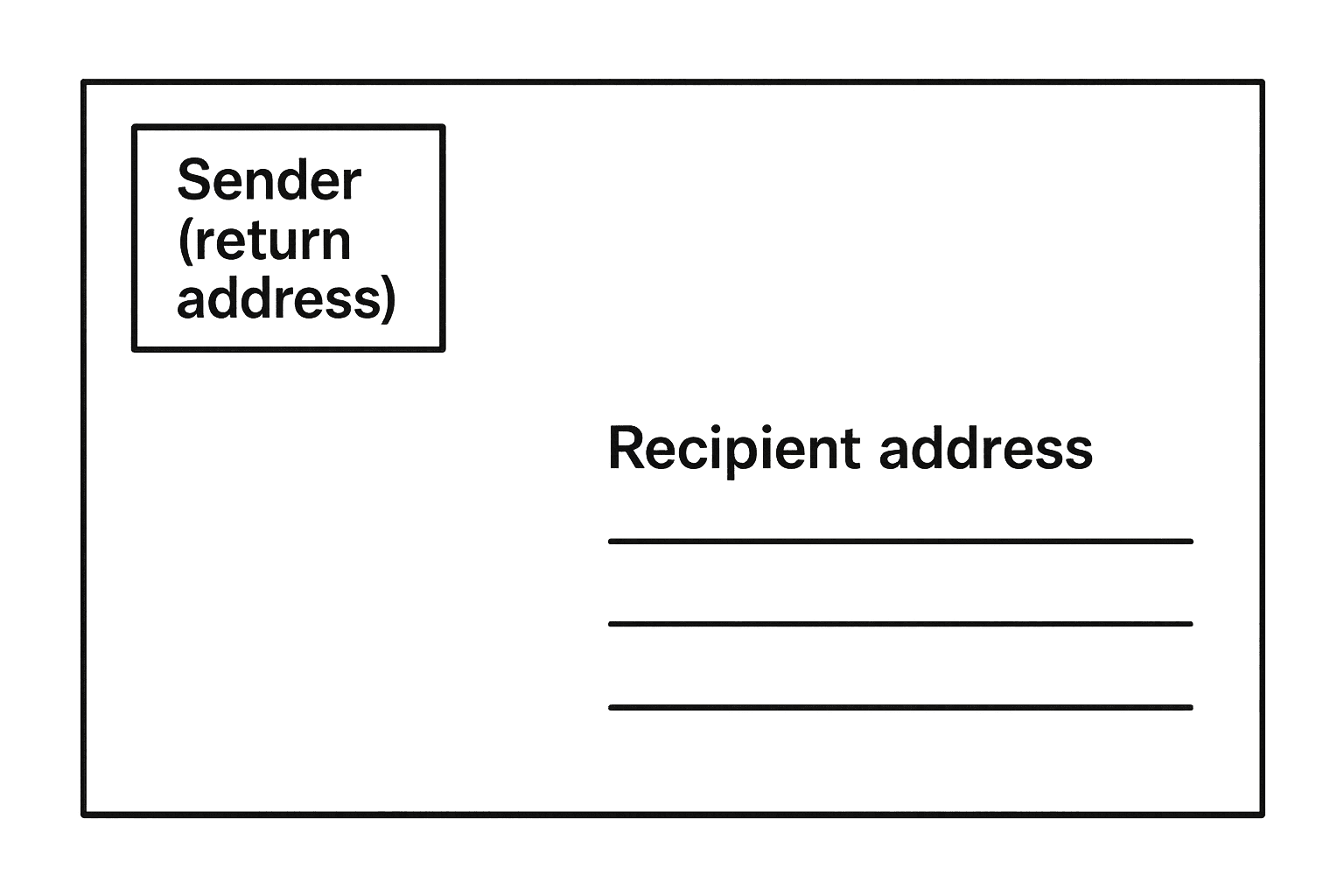
Put the recipient in the bottom-right area (large block). Put the return address small in the top-left if you use one. Leave margins clear so machines can read the address.
Postcard (address side)
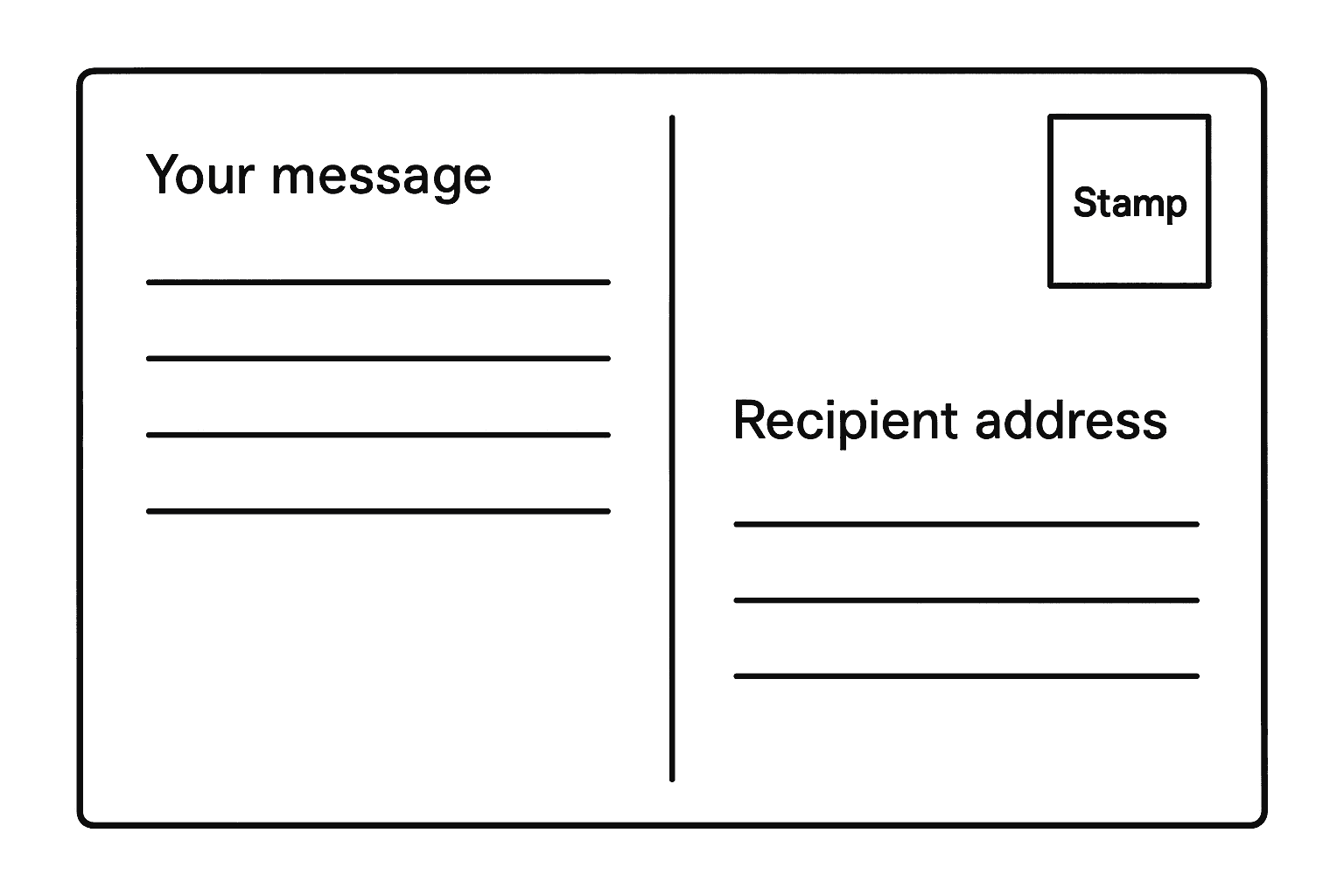
Usually: stamp top-right, your message on the left, recipient address bottom-right. The picture side stays for the image (we print your design there when you order with us).
Domestic vs international
Inside Switzerland you normally write name, street and number, postal code and town. From abroad, add the country line, often as SWITZERLAND in capitals.
Envelope: where sender and recipient go
On a standard envelope you look at the closed front (the side with the flap on the back). Swiss Post processes millions of items with automated reading; a tidy layout helps delivery.
- Recipient: main address block in the lower right. Use several lines: name, street and house number, then postal code and town.
- Sender (return address): optional but useful if the item cannot be delivered. Keep it smaller, top left. That is the usual convention in Switzerland and much of Europe.
- Leave enough white space around the address. Avoid decorations or handwriting across the address zone.
- Postage (stamp or franking) belongs in the top-right corner on the front.
Postcard: message, stamp, and recipient
The back of a postcard is split by convention. If you hold the card so the address side is upright, most designs follow the same pattern as below. That stays true for photo postcards, tourist cards, and augmented reality postcards: Swiss Post still needs a clean address block in the right place.
- Top right: space for the stamp or franking imprint.
- Left side: room for your greeting and short message (or longer text if the layout allows).
- Bottom right: recipient address in clear block letters or print. That is the official delivery address.
- Front of the postcard: image side only, no address there for mailing (unless you use a window envelope, which is uncommon for postcards).
Address example: within Switzerland
Use the official spelling of the town and the four-digit Swiss postal code (PLZ). Country line is optional for domestic mail.
Example
Maria Muster
Musterstrasse 12
8001 Zürich
Address example: international mail to Switzerland
Add a country line in English or the language your postal operator recommends. SWITZERLAND in capitals is widely recognised.
Example
Maria Muster
Musterstrasse 12
8001 Zürich
SWITZERLAND
Wondering what a video looks like on a real postcard?
A lot of people ask how a video postcard works in practice. The card still looks like a normal postcard in the mailbox: stamp, message area, and Swiss-style address field on the back. The front carries your image or design; when the recipient points their phone at it, the video plays in the browser as augmented reality, no app required. If you were unsure whether “video on paper” changes addressing, it does not: Swiss Post sees a standard layout.
Practical tips
- Print addresses when possible; if you write by hand, use block capitals for the town and postal code line.
- Double-check the PLZ: wrong codes are a top reason for delays.
- For registered or valuable items, a return address is strongly recommended.
- When ordering a printed postcard online, you usually enter the recipient digitally; we print the address in the correct zone for you.
- Sending a postcard with a video or AR experience? The address side still follows the same layout; only the picture side is customised so the recipient can scan and watch in the browser.
- You do not need special software: our site is built for video postcards in a few clicks, with postage handled like a standard mailed card.
Common mistakes
- !Putting the recipient top left like an email header.
- !Writing the message over the address field so sorting machines cannot read it.
- !Forgetting the country line when sending from outside Switzerland.
- !Illegible handwriting for street or postal code.
Common questions (Swiss addresses, postcards, and video postcards)
- What is the Swiss address format for letters and postcards?
- Typically: recipient name and street on separate lines, then four-digit postal code (PLZ) and town. For international mail to Switzerland, add a country line, often SWITZERLAND in capitals. On postcards, put that block bottom-right on the address side.
- How do I write a Switzerland address on an envelope?
- On the closed front of the envelope, place the main recipient block lower right. Optional return address smaller, upper left. Postage upper right. Keep the address zone free of decorations so automated sorting can read it.
- Where does the address go on a postcard for Swiss Post?
- On the address side: stamp top right, your handwritten or printed message on the left, and the full delivery address bottom right. The picture side is for the image only.
- How do I address a letter to Switzerland from abroad?
- Use the recipient’s Swiss street address with the correct PLZ and town spelling, then add SWITZERLAND (or your carrier’s preferred country line). Follow the same placement rules on the envelope front as described above.
- Can I put the recipient on the photo side of a postcard?
- For normal mailing, no: the machine-readable address belongs on the designated address side, bottom right. Putting it on the picture side risks delays or returns.
- Do I need a return address on domestic Swiss mail?
- Not always required for simple letters or postcards, but it is wise for anything valuable or if delivery might fail. Registered items should include a clear return address.
- What is a Switzerland mailing address format example?
- Domestic example: Name, street and number, then 8001 Zürich on the next lines. From outside Switzerland, add SWITZERLAND as the last line. See the examples earlier on this page.
- How do I send a postcard online without messing up the address field?
- Use a service that prints the address in the correct zone. With ARVideoCards you type the recipient once; we print the layout Swiss Post expects, while you keep the creative side for your photo or AR design.
- Do video postcards, AR postcards, or augmented reality cards use a different address layout?
- No. Video postcards and AR greeting cards are still physical postcards or cards in the mail. The address side follows the same rules; the “magic” is on the front or in the printed trigger, viewed through the phone browser.
- What are augmented reality postcards?
- They are printed postcards that unlock a video or interactive layer when scanned with a normal smartphone camera, usually via the web. They feel like moving pictures on paper while staying mailable.
- Are AR cards and normal postcards the same for postage?
- If the finished piece meets standard postcard size and weight limits, you frank it like any other postcard. Always confirm current Swiss Post tariffs for your format.
- How long do postcards take to Switzerland or inside Switzerland?
- Delivery times vary by origin and service. For typical transit questions and tips, see our guide on sending postcards to Switzerland (linked below).
- Do recipients need an app for an AR postcard?
- With ARVideoCards, scanning opens in the mobile browser, so there is no app download for the person receiving the card.
- Is there video postcard software I have to install?
- You can create and order through our website in the browser. Upload your clip, design the front, enter addresses, and we handle printing and mailing-ready layout.
Related guides
- Sending postcards to Switzerland (timing & format)
- How to send postcards (general steps)
- Video postcards & augmented reality cards (overview)
- AR postcards: a printed card that plays your video
Send a postcard in just a few clicks, straight from our site. The twist? Your video plays on the printed card like a Harry Potter moving picture, using augmented reality in the phone browser, no app required.
Create a postcard